
An online sprint board for your scrum team
Put the sprint's stories in rows and move the work across the columns from To do to Done. Each card can carry an owner, story points and a due date, and everyone sees changes as they happen.
Start a free 30-day trialNo credit card needed. See pricing
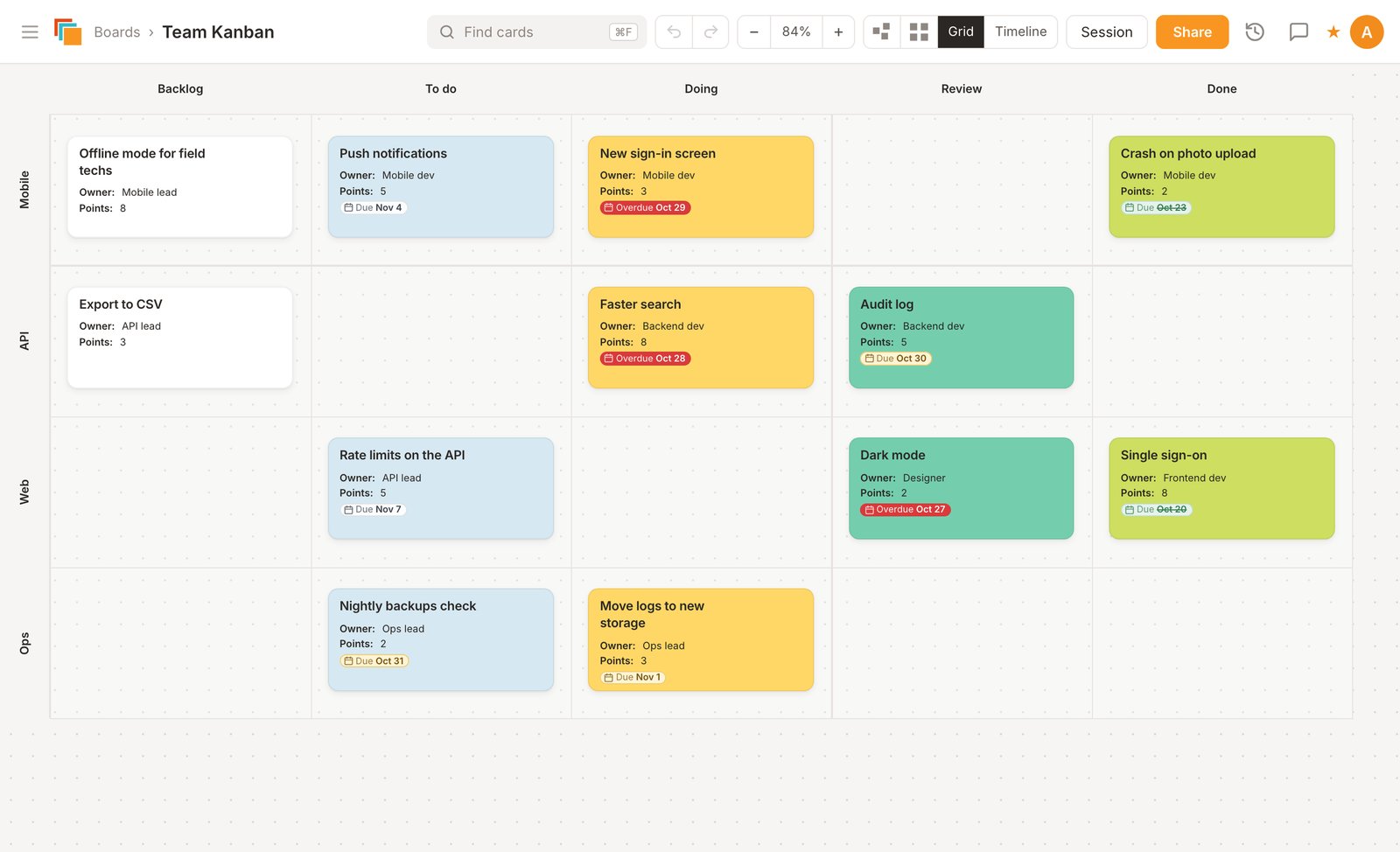
A scrum board example
Most scrum boards share the same layout. This is the one in the picture above:
- Columns for the workflow: Backlog, To do, Doing, Review and Done. Rename them, add a Test column, or hide one you don't use.
- Rows for each user story, team member or part of the product. This board uses Mobile, API, Web and Ops.
- One card per task, with the fields your team needs. This team uses Owner, Points and Due.
The template picker also has a Current Sprint Scrum Board: user stories down the left, and task cards that move from Backlog to Done.
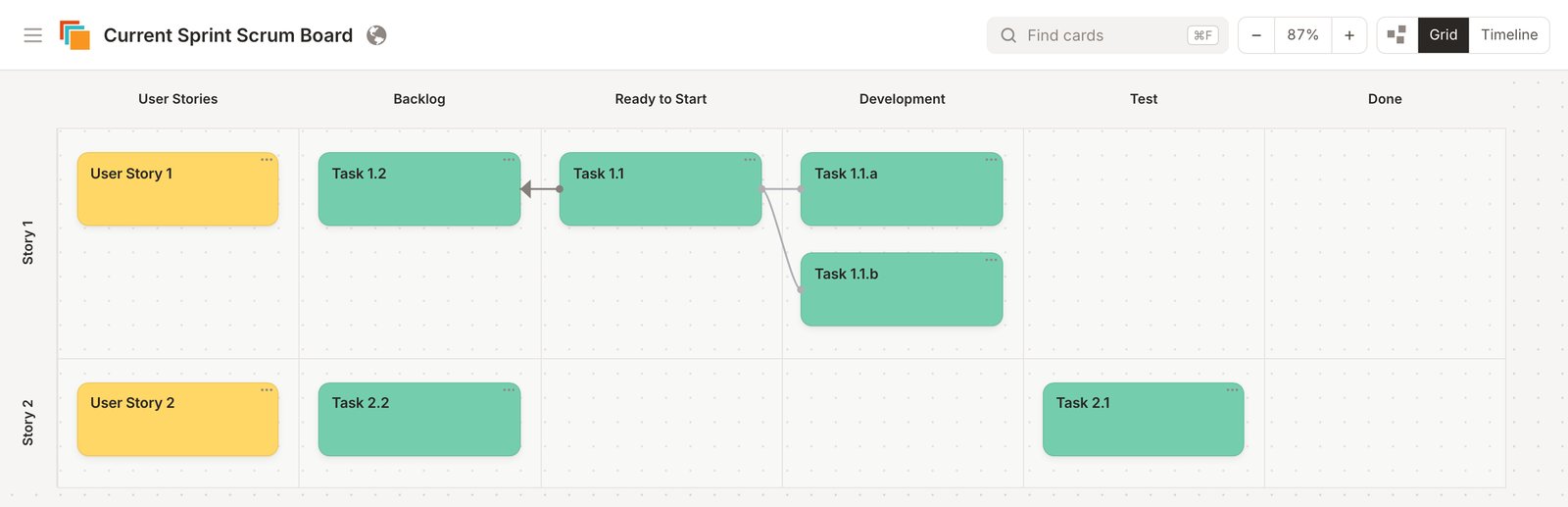
Running a sprint on the board
- Plan: keep the backlog on its own board (there are Product Backlog and Sprint Planning Board templates), or import your lists and cards from Trello. Add a Points field and turn on Grid Totals to add up the points in each row, column and cell.
- Set up the sprint: start from the Current Sprint Scrum Board template (Create From Template, then Agile and Kanban) or a blank board in grid view. Set a default card with Owner, Points and Due fields, so every new card has them.
- Daily stand-up: open the board on the call. People move their own cards and update their fields, and everyone sees the change at once. Color blocked cards red or give them an icon so they stand out.
- Check the dates: switch the grid to Timeline to see cards by week, with each row as a lane. Drag a card to change its due date, or roll a week's unfinished cards into the next week.
- Review and retro: export the board to PDF for the sprint review, then hold the retrospective on a retrospective board. Copy the sprint board for the next sprint, with or without its cards.
Remote and hybrid teams
Cardsmith runs in the browser next to Zoom, Teams or Meet, with nothing to install. Comments and @mentions keep side conversations on the board, and the activity log shows what changed since your last visit. For a kanban or scrumban setup with WIP limits and buffer columns, see how to build a kanban or scrumban board in 12 steps, or more scrum board examples.
Questions
- What is a sprint board?
A sprint board shows the work a scrum team has taken on for one sprint, usually one to four weeks. Each task is a card, and the columns show where it stands, from To do to Done. The team looks at it together in the daily stand-up.
- What is the difference between a scrum board and a kanban board?
A scrum board holds one sprint's work and is cleared when the sprint ends. A kanban board runs all the time and limits how much work is in progress. In Cardsmith both are grids of cards, so you can start with one and change the columns later. Our guide to building a kanban or scrumban board covers both.
- Can stakeholders see the board?
Yes. Invite them by email as viewers, or share a view-only link. Viewers see changes as they happen but can't move cards.
- Does it replace Jira?
Not for every team. Cardsmith has no burndown charts, velocity reports or Jira connection. Teams use it for the shared picture of the sprint: what's planned, who has it and what's done. You can import cards from Trello, Miro or a CSV file.
- What does it cost?
Every account starts with a 30-day trial of all Professional features, and no credit card is needed. After that, Professional is $9 a month billed yearly ($12 billed monthly), and Team plans are $9 per person per month billed yearly. If you don't subscribe, your boards stay viewable but can't be edited. Details are on the pricing page.
Boards for other methods
Try it on your next sprint
Start from the template, rename the columns, and invite your team.
Start a free 30-day trialNo credit card needed.