
A roadmap and priority list your team keeps current
Lay out initiatives by theme and by Now, Next, Later and Parked. Each card carries its owner, impact and effort, so priority calls happen on the board everyone sees, not in a slide deck that goes stale.
Start a free 30-day trialNo credit card needed. See pricing
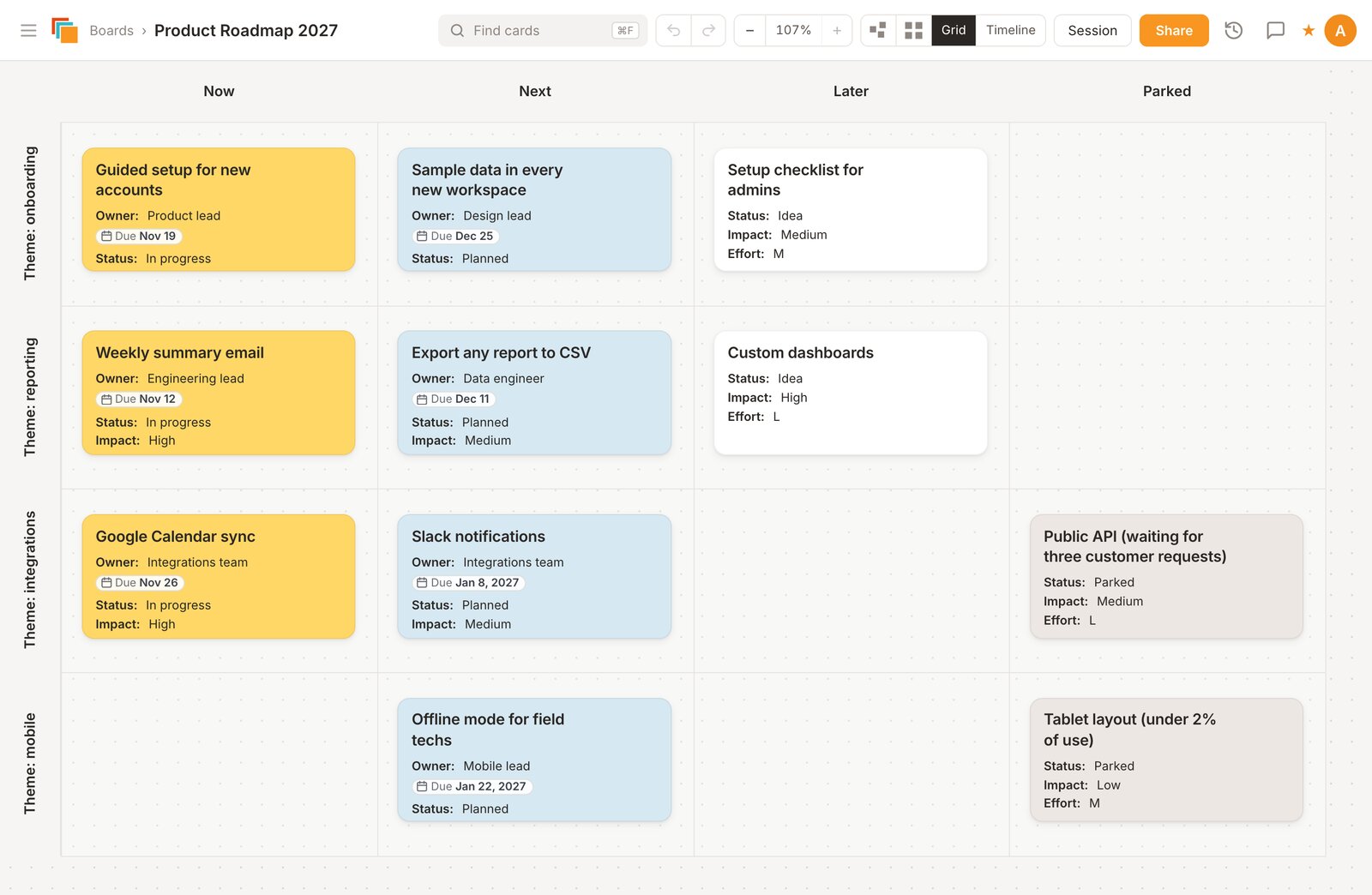
How the board is laid out
- Rows are themes, such as a product area, a customer group or a goal.
- Columns are Now, Next, Later and Parked. Parked holds ideas you've decided against for now, with the reason on the card, so they don't keep coming back unexamined.
- Each initiative is a card with fields for owner, impact and effort, plus a checklist and links to the specs or tickets.
Prioritizing on the board
- Totals per column: give each card a number field such as Effort or Points, and grid totals show how much sits in Now for each theme.
- Impact and effort grid: make a board with impact down the side and effort across the top, place each idea, then move the winners onto the roadmap. Cards can be copied or moved between boards.
- Strategy boards: the template picker also has SWOT and Ansoff matrix boards for the planning that comes before the roadmap.
Sharing it
Invite the team as collaborators and stakeholders as viewers, or turn on a view-only link that opens without an account. Export the board to PDF for a board meeting or to CSV for a spreadsheet.
Questions
- Is this a Gantt chart?
No. Cardsmith has a timeline view that places cards by their due dates in weeks, months or quarters, but it doesn't draw Gantt bars or dependencies between tasks. Keep the detailed schedule in your project tool and use the board for priorities and the conversation about them.
- Can I bring in items from Jira or Trello?
Cardsmith imports CSV files, which Jira and most tools can export, Trello board exports (with checklists, labels and due dates) and Miro board CSV exports. A CSV with a card title, column and row becomes a grid board in one step; extra columns become card fields. There is no live sync.
- What does it cost?
Every account starts with a 30-day trial of all Professional features, and no credit card is needed. After that, Professional is $9 a month billed yearly ($12 billed monthly), and Team plans are $9 per person per month billed yearly. If you don't subscribe, your boards stay viewable but can't be edited. Details are on the pricing page.
Boards for other methods
Try it on your own plan
Start from the template, rename what you need, and invite your team.
Start a free 30-day trialNo credit card needed.