
Planning boards for teams
Brainstorm. Map. Plan.
Sticky-note boards your whole team can use. No training needed.
Start your free trial30 days free. No credit card needed. See pricing

See what's due, week by week
- Give any card a due date from the calendar on the card.
- Switch a grid board to Timeline to see cards by week, month or quarter. Your rows become the lanes.
- Drag a card to another week and its date moves with it.
- Roll unfinished work into this week in one step, with Undo if you change your mind.
Start from a method kit
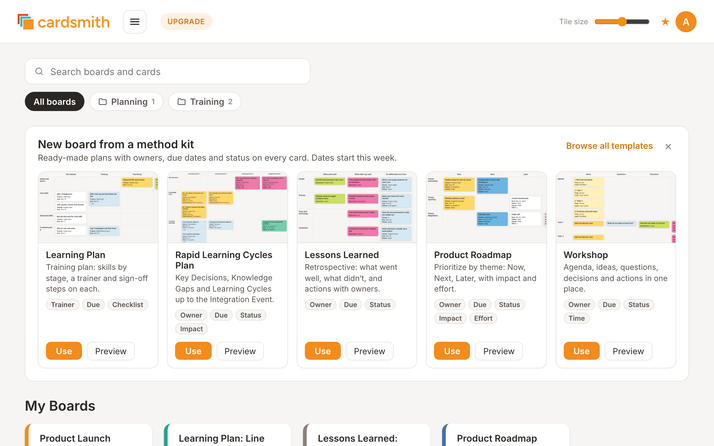
Five ready-made boards with the fields each method needs. When you create a board from a kit, its dates start in the current week.
- Learning Plan: skills by stage, a trainer and sign-off steps on each.
- Rapid Learning Cycles: Key Decisions, Knowledge Gaps and the work to close them, cycle by cycle.
- Lessons Learned: what went well, what didn't, and actions with owners.
- Product Roadmap: Now, Next, Later and Parked by theme, with impact and effort.
- Workshop: agenda, ideas, questions, decisions and actions in one place.
More than 60 other templates cover retrospectives, agile teams, strategy and planning.
Cards that hold the details
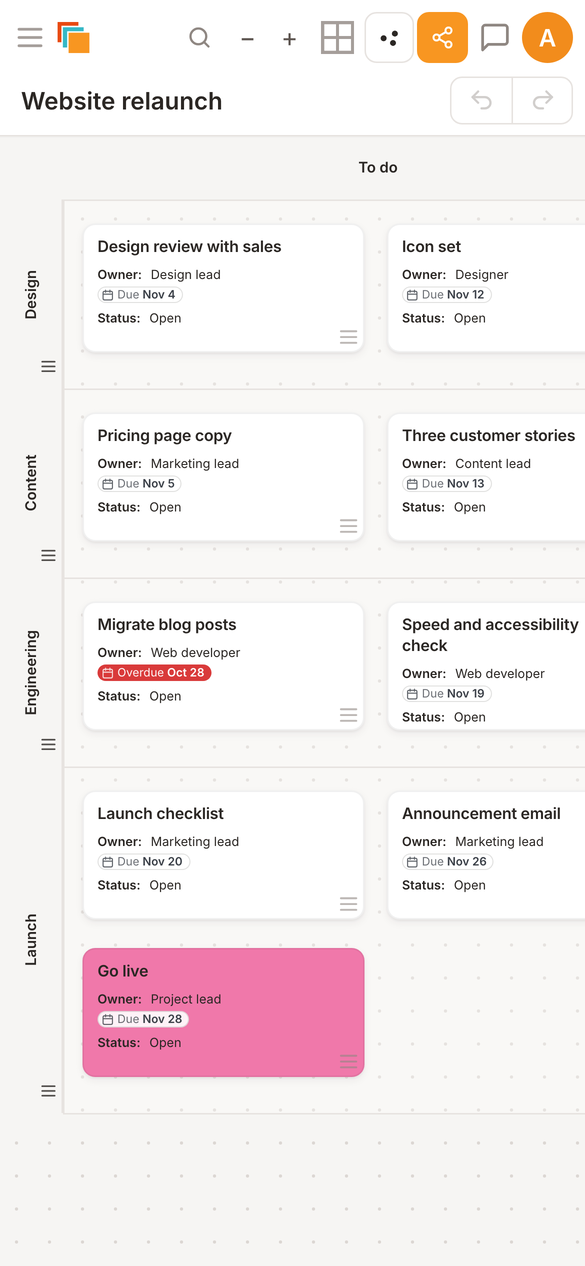
A card can carry labeled fields such as Owner, Due and Status, plus a checklist, notes, images and links.
The card face shows the due date and how much of the checklist is done, so you can read the board without opening every card.

Run the workshop on the same board
- Dot voting. Give each person a set number of votes. Hide the results until you end the vote if you want.
- A shared timer that everyone on the board sees.
- Lock the layout so cards stay where you put them while people add and edit.
- Guest links. People join the board with just their name. They don't need an account.


"Cardsmith is so intuitive and subtle that it fades into the background, so teams can focus on the task at hand. It is our preferred solution for running innovation team events."
Katherine Radeka, Executive Director, Rapid Learning Cycles
Everyday tools
- Undo and redo for changes on a board.
- Recently Deleted, to restore a board removed by mistake.
- Search across all your boards and cards.
- Folders to group boards by team, client or project.
- Import from Trello (with checklists, labels and due dates), from a Miro board export, or from a CSV file.
- Export any board to PDF or CSV.
- Comments with @mentions, and an activity log on every board.

On your phone
Boards open in your phone's browser, with nothing to install. Check what's due, open a card, tick off a checklist item or leave a comment.
With your AI assistant
Add Cardsmith as a connector in Claude or ChatGPT. The assistant can read your boards, build a new board from a short brief, and add, move or update cards. It has the same permissions you have. How to connect it.
Try it on your own plan
Every account starts with a 30-day trial of every Professional feature. Pick a method kit, rename what you need, and invite your team.
Start your free trialNo credit card needed. See pricing