
Run your sprint retrospective on an online board
Pick a retro format, collect cards from everyone, vote on what matters, and leave with actions that have an owner and a date. Guests can join from a link without an account.
Start a free 30-day trialNo credit card needed. See pricing
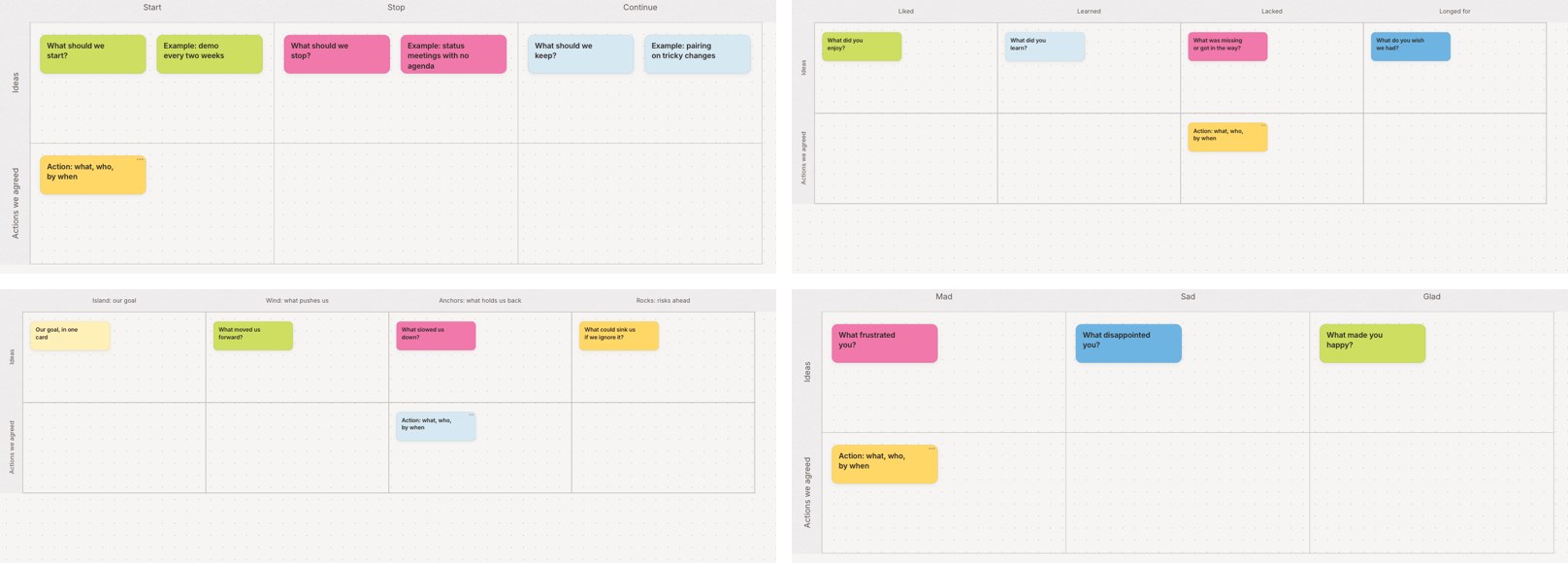
Sprint retrospective templates
The Retrospectives category in the template picker has these formats. Copy one, rename what you need, and share it.
- Start, Stop, Continue: what to start doing, stop doing and keep doing.
- 4Ls: Liked, Learned, Lacked and Longed for.
- Sailboat: the goal, what pushed the team toward it, what held it back and the risks ahead.
- Mad, Sad, Glad: how the sprint felt, and what to do about it.
- Project Post-Mortem: a blameless review by project phase.
The Agile and Kanban category also has the classic Agile Retrospective with four questions: what went well, what could have gone better, what to try next, and what puzzles us. For the end of a project, the Lessons Learned board under Team methods sorts what went well, what didn't and what to do differently by area, with an owner and due date on each change.
Running the retro
- Before: copy a template (Create From Template, then Retrospectives), or copy last sprint's retro board with its layout only. Invite the team as collaborators, or make a guest link so people can join with just their name.
- Collect: start the shared timer and have everyone add cards, one point per card. The timer shows the same time on every screen and chimes when it ends.
- Group and vote: drag similar cards together, then start a dot vote. Each person gets a set number of votes, and you can hide the results until the vote ends. The results panel lists the cards by votes.
- Agree on actions: write each action in the "Actions we agreed" row, with who and by when. Add Owner and Due fields so the date shows on the card.
- After: copy the action cards to your sprint board so they get done in the next sprint, and export the retro to PDF if you keep a record.
Remote and hybrid retros
Cardsmith runs in the browser next to Zoom, Teams or Meet, with nothing to install. Lock the layout while people write, so cards stay where the facilitator put them. Everyone can still add and edit cards.
Questions
- Do participants need an account?
No. Send a guest link and people join the board with just their name, then add cards and vote. You can also invite the team by email as collaborators. You can switch a guest link to view-only or turn it off, and everyone who joined with it loses access.
- Is input anonymous?
No. Guests join with a name, collaborators sign in, and the board's activity log shows who added and changed cards. If your team needs anonymous input, collect it beforehand, for example with a form, and add the cards yourself.
- Can we look back at earlier retros?
Yes. Keep each sprint's retro board in a folder, and use search on your boards page to find cards across all of them.
- What does it cost?
Every account starts with a 30-day trial of all Professional features, and no credit card is needed. After that, Professional is $9 a month billed yearly ($12 billed monthly), and Team plans are $9 per person per month billed yearly. If you don't subscribe, your boards stay viewable but can't be edited. Details are on the pricing page.
Boards for other methods
Try it at your next retro
Pick a template, send the guest link, and start the timer.
Start a free 30-day trialNo credit card needed.